Call: 610-228-0887
DIGITAL SOFTWARE SERVICES
  • Home
  • WHAT WE DO
    • Software Development
    • Internet of Things
    • VIRTUAL SERVICES
    • Testimonials
  • Examples
    • C3 App
    • App
    • TankSpotter
    • DVIR PLUS
    • Order Fuel
    • Delivery
      • Uber Clone App
      • Uber package delivery
      • Uber Food delivery
      • Uber Pharmacy Delivery
    • 5-Star Rater
  • Contact
  • Home
  • WHAT WE DO
    • Software Development
    • Internet of Things
    • VIRTUAL SERVICES
    • Testimonials
  • Examples
    • C3 App
    • App
    • TankSpotter
    • DVIR PLUS
    • Order Fuel
    • Delivery
      • Uber Clone App
      • Uber package delivery
      • Uber Food delivery
      • Uber Pharmacy Delivery
    • 5-Star Rater
  • Contact
Call: 610-228-0887
Search

LOOKING FOR AN UBER CLONE SCRIPT FOR YOUR RIDE-HAILING BUSINESS?

REQUEST A DEMO

Taxi-Uber Type App


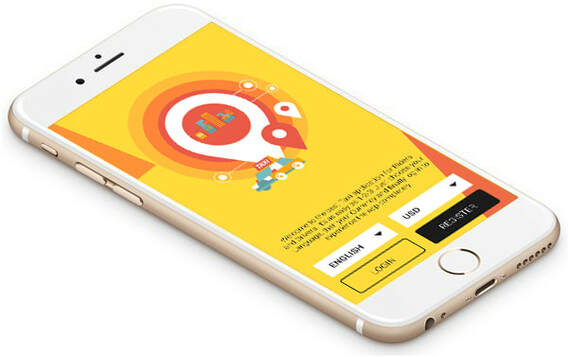
INTRODUCTION SCREEN

Picture
  • If your on demand taxi App has more than 1 Language and more than 1 Currency, the user will see Language and Currency selection option here on the Introduction Screen. Please note that you get 1 Language free with English Language and 1 Currency free with USD currency.
  • User also views Sign-In and Sign-Up options here.

LOGIN & REGISTRATION​

RIDER
Picture
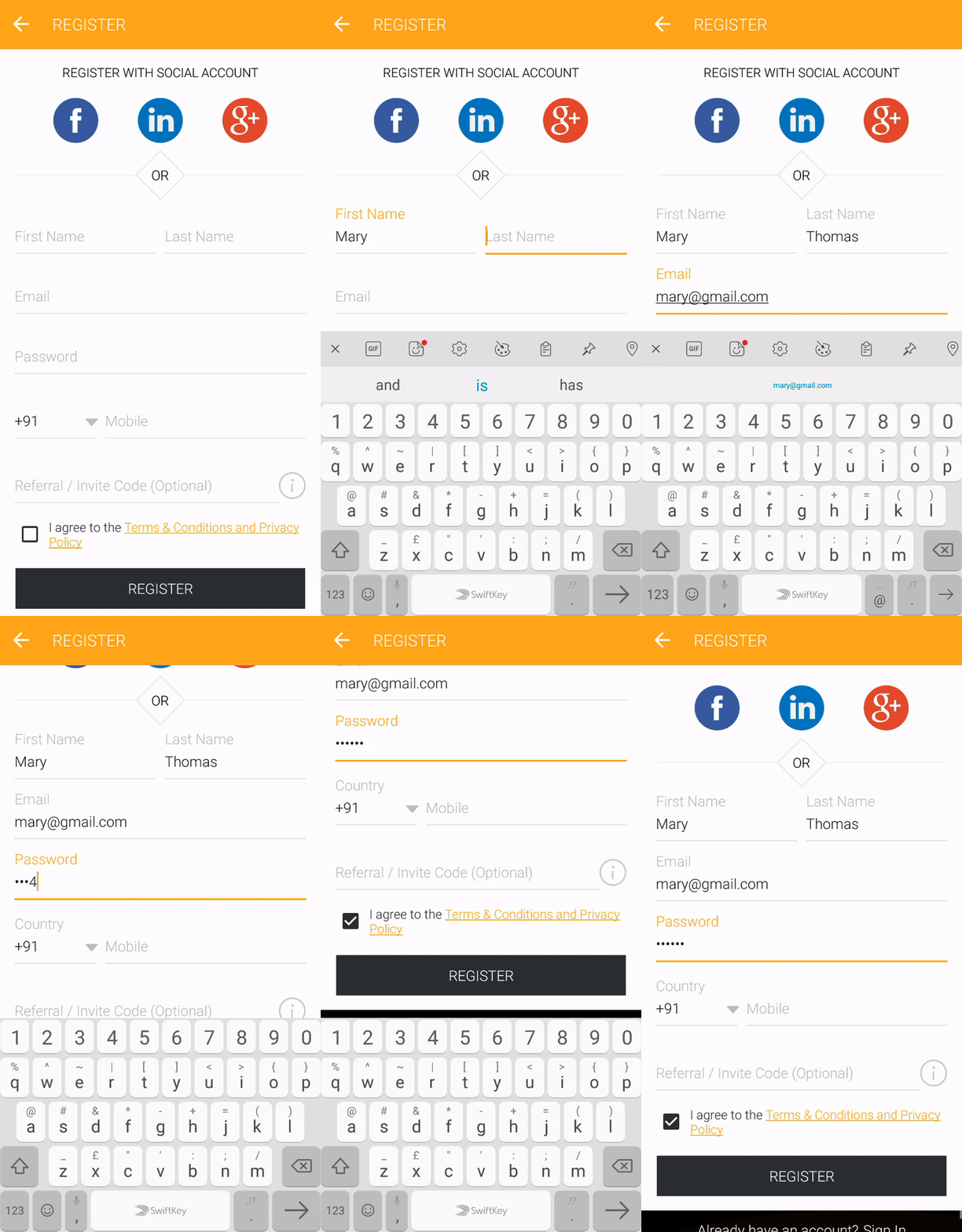
  • Both will have option to login via his Email Id, Facebook, Linkedin or Gmail Account.
  • Incase, user forgot his password, he can retrieve it using Forgot Password option.
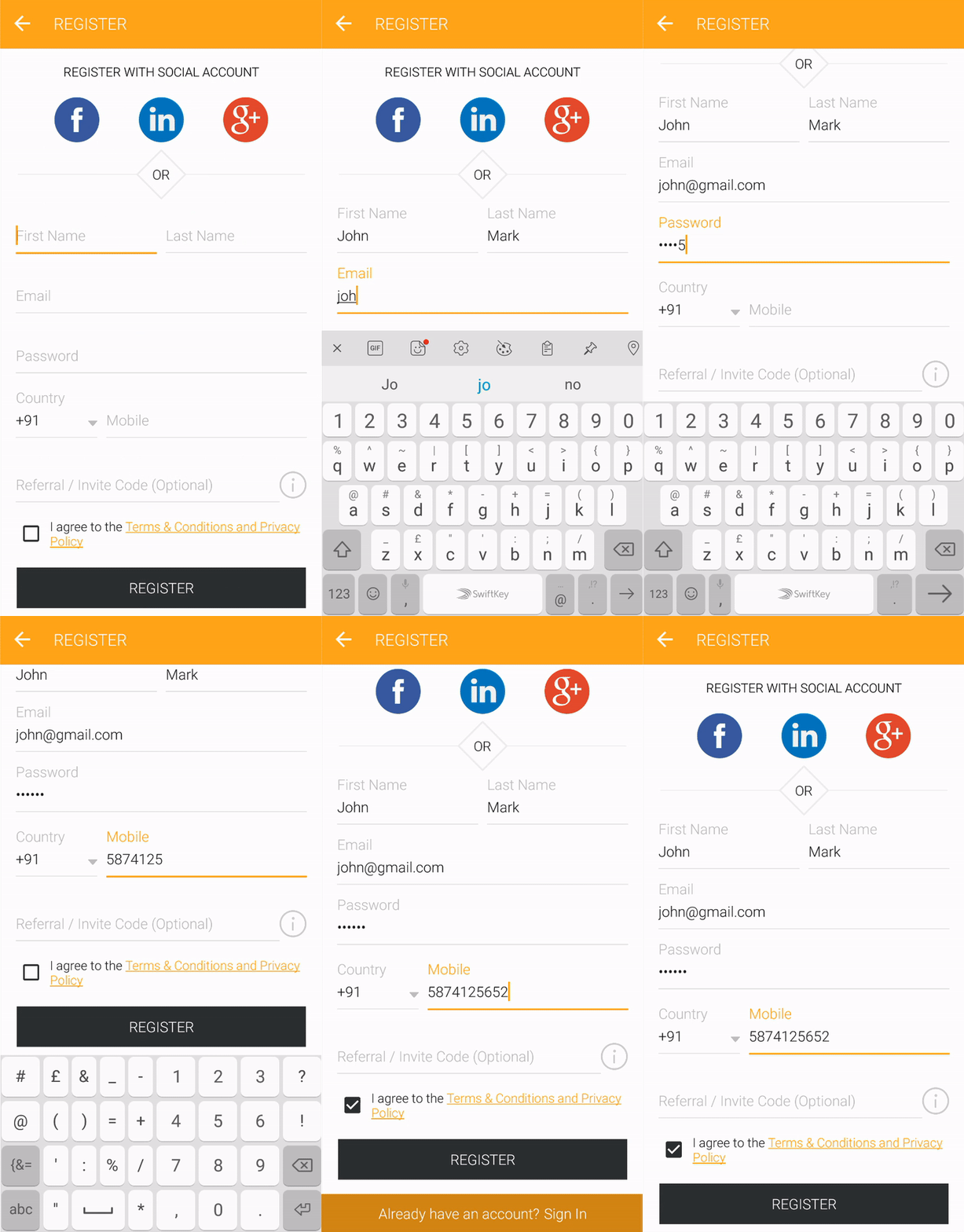
  • Both can register into the Apps via his Email Id, Facebook, Linkedin or Gmail Account. And also set their Mobile Number, Name, etc
DRIVER
Picture

ACCOUNT VERIFICATION

Picture
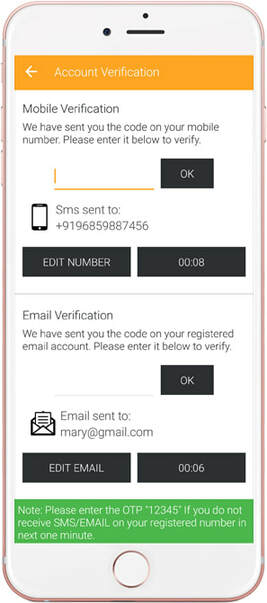
  • Riders & Drivers will need to verify their Mobile Number via OTP received via SMS.
  • And also verify the email account via verification link sent to user's email account. This step is set to avoid fake registrations & spamming's.

APPLICATION MENU

RIDER
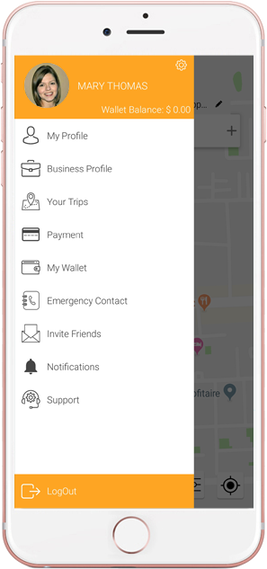
  • A quick & user friendly way to access all features of the Rider's App. Wallet Balance will show on top along with Settings icon.
    ​​
Picture
DRIVER
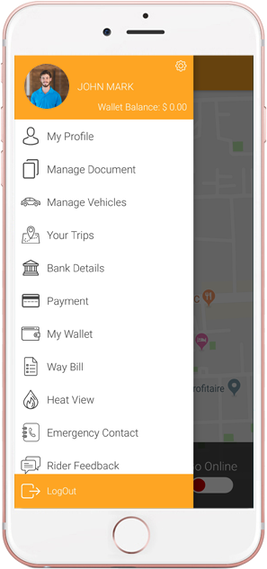
  • A driver can access his Trips Statistics, Manage Vehicles & their documents through the Driver App in user friendly way. Driver can also see his wallet Balance on top along with Settings icon.
Picture

BOOK A TRIP

Picture
Picture
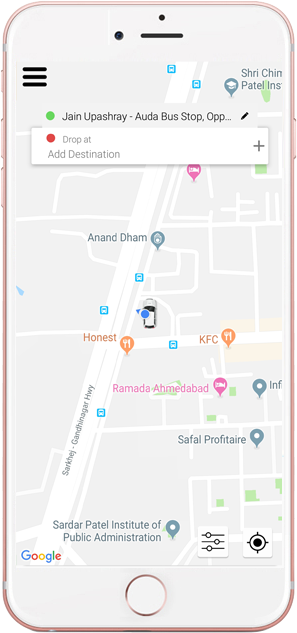
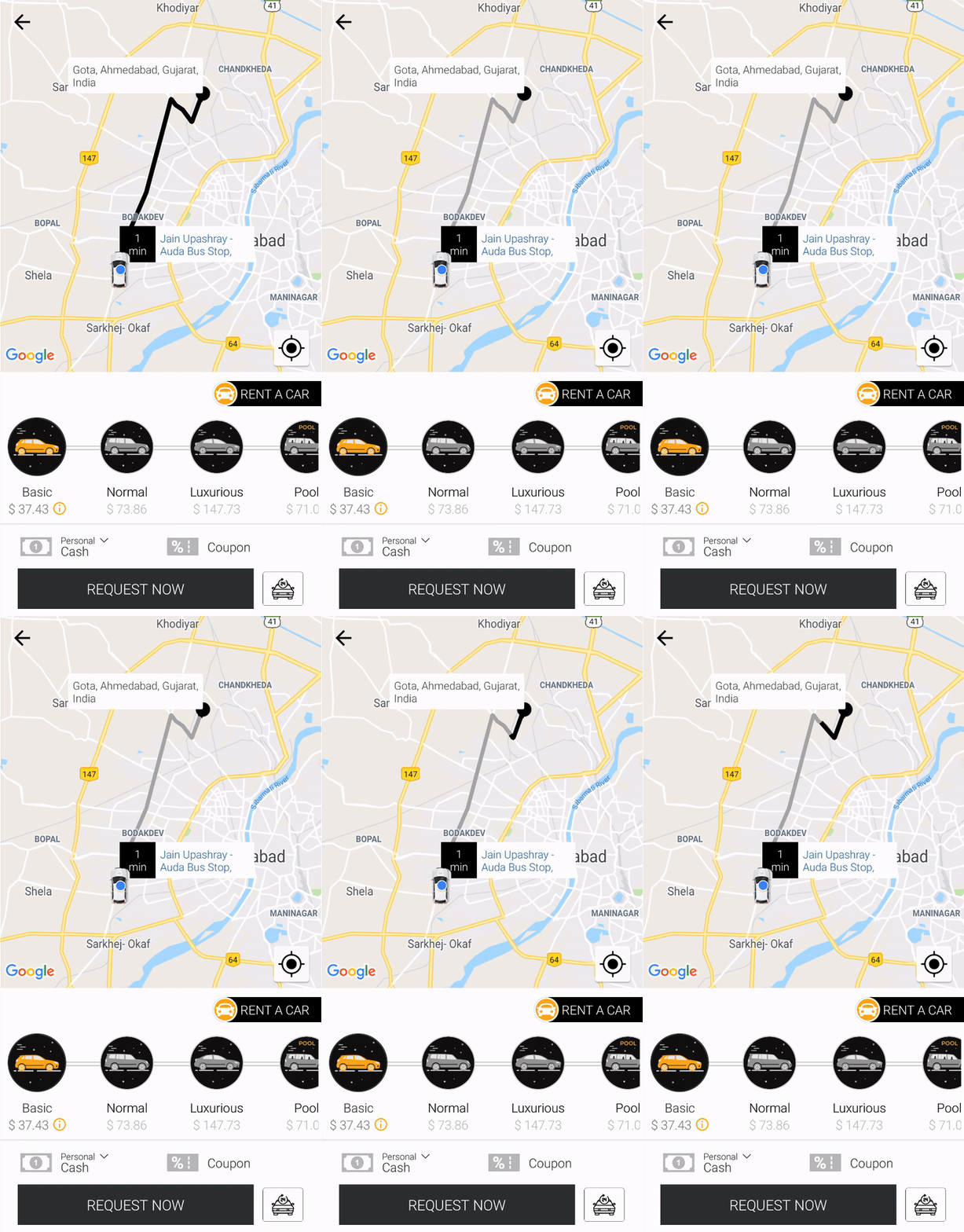
Rider selects his Pickup Location, Destination Address, selects Car Type, Payment Mode & Requests a Taxi
​
  • Rider will type the Pickup Location and Destination Address (optional) or will manually drag & pin them on the Map.
  • Rider will then need to select the Car Type from the available Car Types and also the Mode of Payment (Cash or Credit Card). Upon this he will also be able to see the Approximate Fare for his trip.
  • An animated arrow line similar to as in Uber will show up from the pickup point till location when the start and destination address is set.
  • User can also opt for Car pooling. This will enable them to take shared rides. Further details of Carpooling are listed in detail below.

DRIVER ONLINE & ACCEPT RIDES

Picture
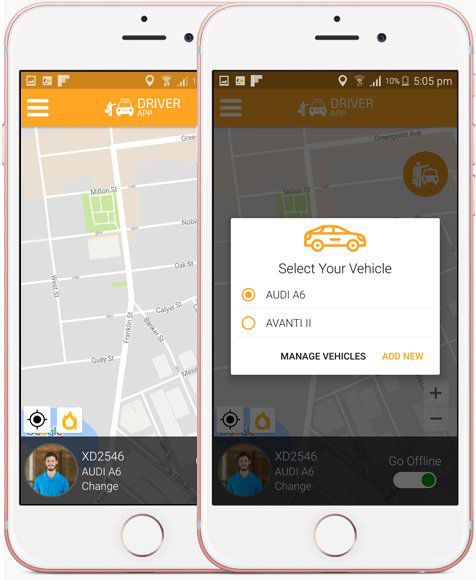
Driver gets online & starts accepting Rides
  • Driver will become online on the App to accept the rides. Once he is online, the Taxi System will be able to send him ride requests made by the riders in his range.
  • If a driver has more than one car, he will get an option to select the Car he is going to drive now.
Picture
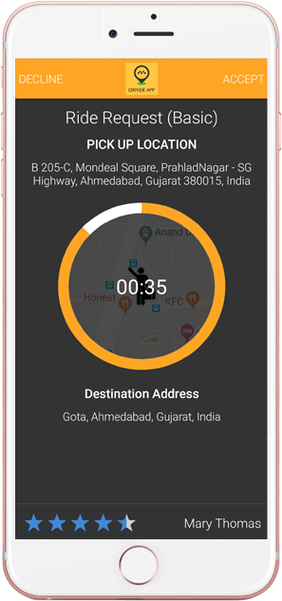
  • All the Driver's in the range of X Miles/KM's will receive a notification on their mobile with a countdown screen. They will have option to Accept or Reject/Ignore the incoming ride Request. They will also see the Pickup Location & Destination Address of the requested ride before they can accept the ride.

DRIVER ARRIVING

RIDER
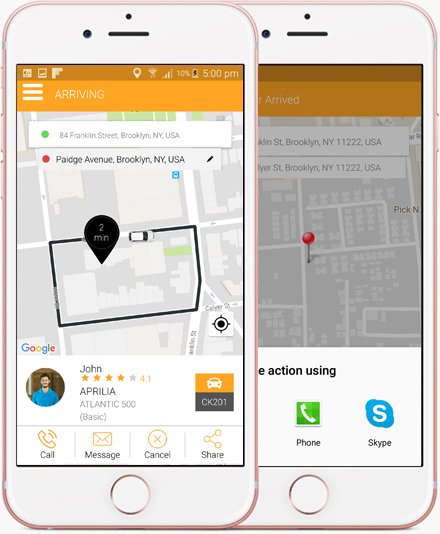
  • Once the Driver accepts the ride, Rider will see Driver's Detail on screen and see that he is coming to pick him & can also track driver on map.
  • Rider can also Call or SMS Driver, Share the Ride detail on Social networking sites or Cancel the Trip if he wants to.
Picture
DRIVER
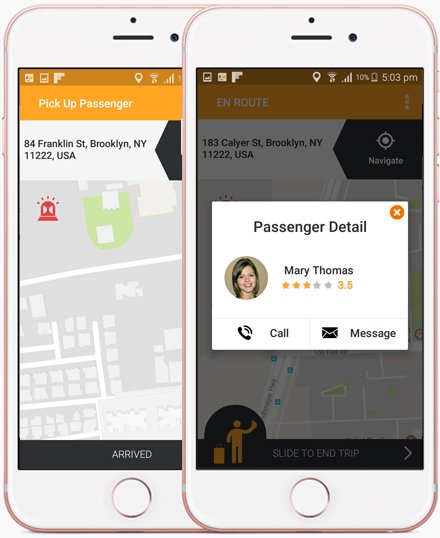
  • As soon as the Driver accepts the ride, he will see rider's pickup location on Map. Then he will drive to the pickup location and mark the status as "Arrived".
  • He can view rider's detail and can also contact via sms or call via his phone if he wants to ask for directions, etc.
Picture

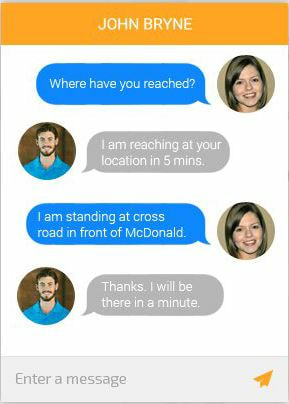
INTERNAL CHAT BETWEEN RIDER AND DRIVER

Picture
Driver gets online & starts accepting Rides
  • Driver will become online on the App to accept the rides. Once he is online, the Taxi System will be able to send him ride requests made by the riders in his range.
  • If a driver has more than one car, he will get an option to select the Car he is going to drive now.

TRIP STARTED

DRIVER
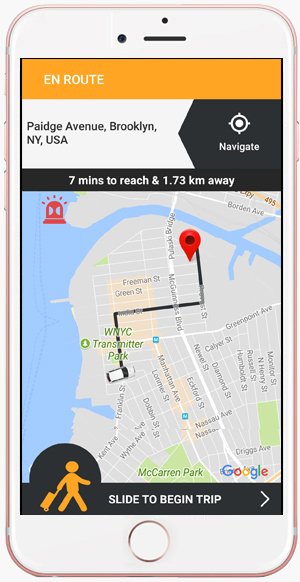
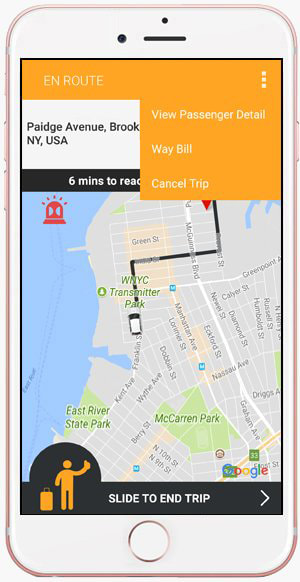
  • Driver will Slide the button to start the Trip once the rider is in car and ready for the trip
Picture
RIDER
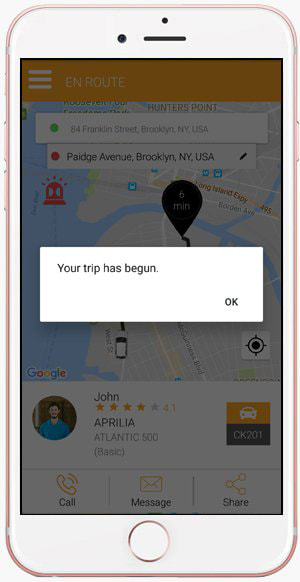
  • At this point, the Rider will receive a notification that the Trip has begun.
Picture

TRIP COMPLETED

DRIVER
  • Once the taxi has reached the destination, the driver will Slide the button to end the trip
Picture
RIDER
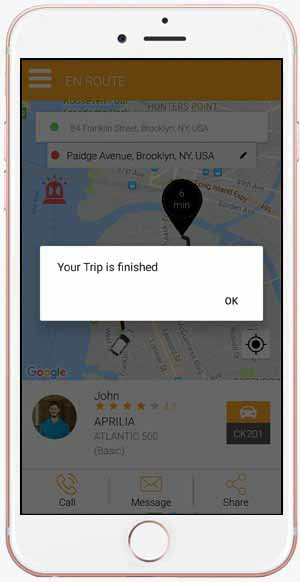
  • Upon this, the rider will see in-app notification that the Trip is completed.
Picture

INVOICE SUMMARY

DRIVER
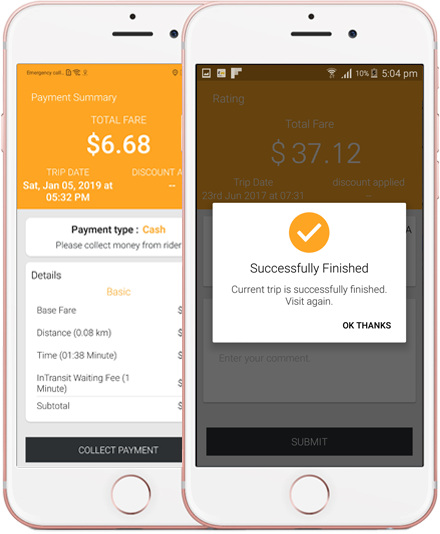
  • Once the ride is completed, the invoice summary will be displayed on the Driver's screen.
  • And upon clicking on "Collect Payment" button, the money will be AUTO deducted from the Credit Card of the Rider. In-case the, the Rider chose to pay by cash, he will hand over cash to the Driver.
  • The Driver can also rate the Rider.
Picture
RIDER
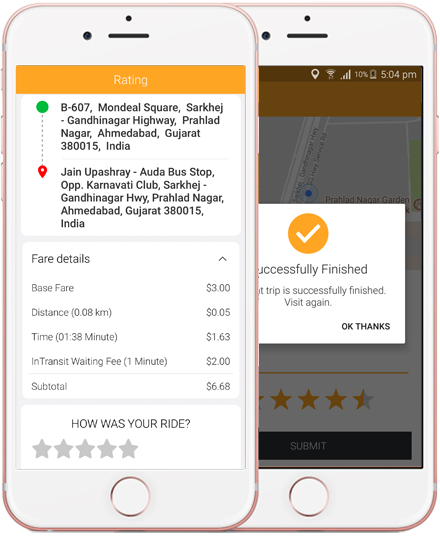
  • Rider sees the invoice details on his screen with breakdown. And upon payment deduction from rider's credit card, the rider will see a notification that the money was deducted from his Credit Card. If he needs to pay cash, he will see a notification asking him to pay Cash.

​

Picture

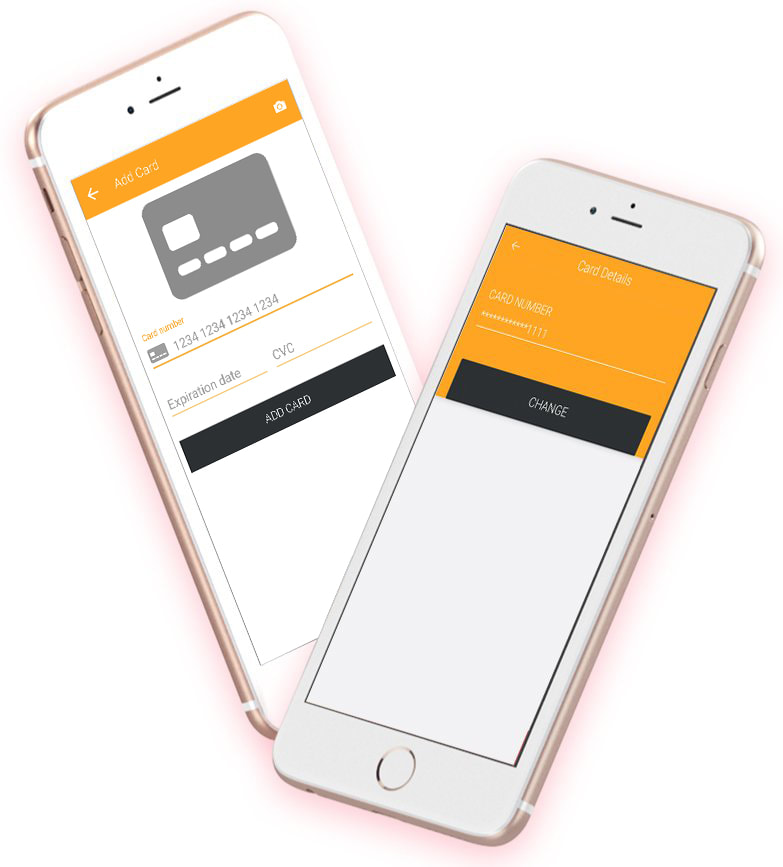
PAYMENT

  • Riders & Drivers can manage their Credit Card information through this screen. The card detail is NOT stored in the APP or in the App's database. It's stored in the safe vault of the Payment Gateway Company. We just call the card using token and the secure transaction happens on the uber clone App.
  • Users can also scan their Card.
  • Riders and Drivers can top up their wallet too.
Picture
  • Commission of Cash Rides gets deducted from Driver's Wallet.

​Client Example

Picture

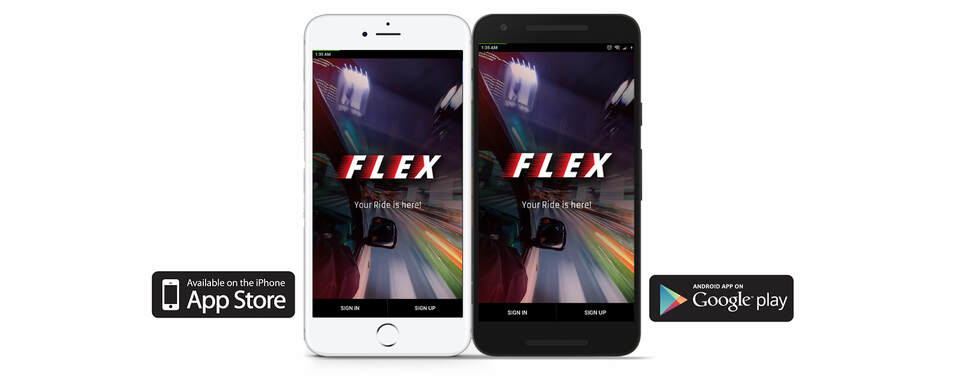
Download FLEX
​

User App
Picture
Picture
Driver App
Picture
Picture

FLEX Apps
​

User App Download links
Picture
Picture
Driver App Download links
Picture
Picture
Picture
Copyright © 2020 Digital Software Services. All rights reserved.
Terms & Conditions
JOIN LIVE MEETING

DIGITAL SOFTWARE SERVICES
NC OFFICE

610 - 228 - 0887
Winston - Salem , NC
​
DIGITAL SOFTWARE SERVICES
PA OFFICE​

​610 - 228 - 0887​
Philadelphia, Pennsylvania

Picture

    Contact Us Today!

Submit
  • Home
  • WHAT WE DO
    • Software Development
    • Internet of Things
    • VIRTUAL SERVICES
    • Testimonials
  • Examples
    • C3 App
    • App
    • TankSpotter
    • DVIR PLUS
    • Order Fuel
    • Delivery
      • Uber Clone App
      • Uber package delivery
      • Uber Food delivery
      • Uber Pharmacy Delivery
    • 5-Star Rater
  • Contact